
Hide your favorite movies or personal videos from others with the secret playlist feature and passcode protection.
1. The Need for Privacy
We all have personal videos or family clips that we don't want visible on the main dashboard when friends or family open the app. Instead of burying files in complex hidden folders, UFlix lets you lock them in a "Secret Vault" using a 4-digit passcode.
2. Setting Up Your Secret Vault
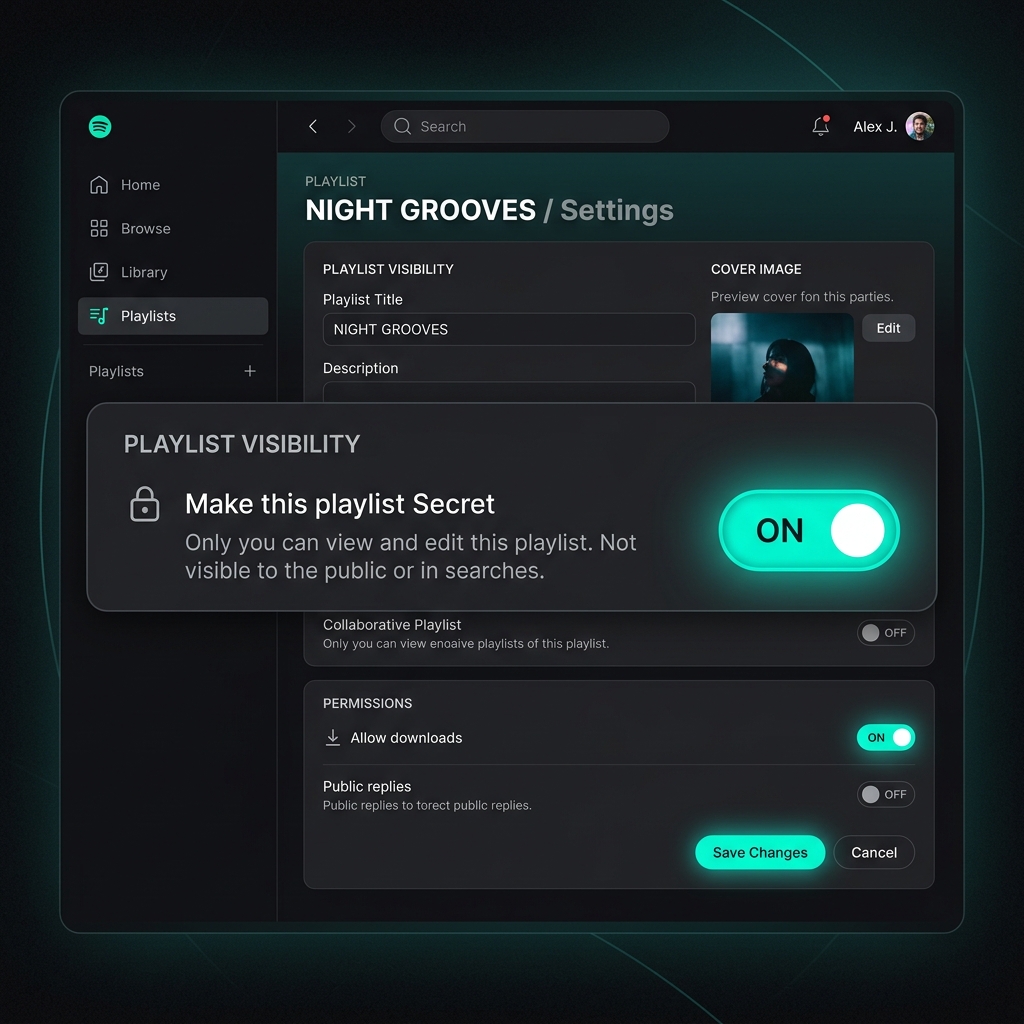
Create a Playlist and Enable Secret Mode:
- Go to the Playlist menu and click Create New Playlist.
- Turn on the Make this playlist Secret switch.
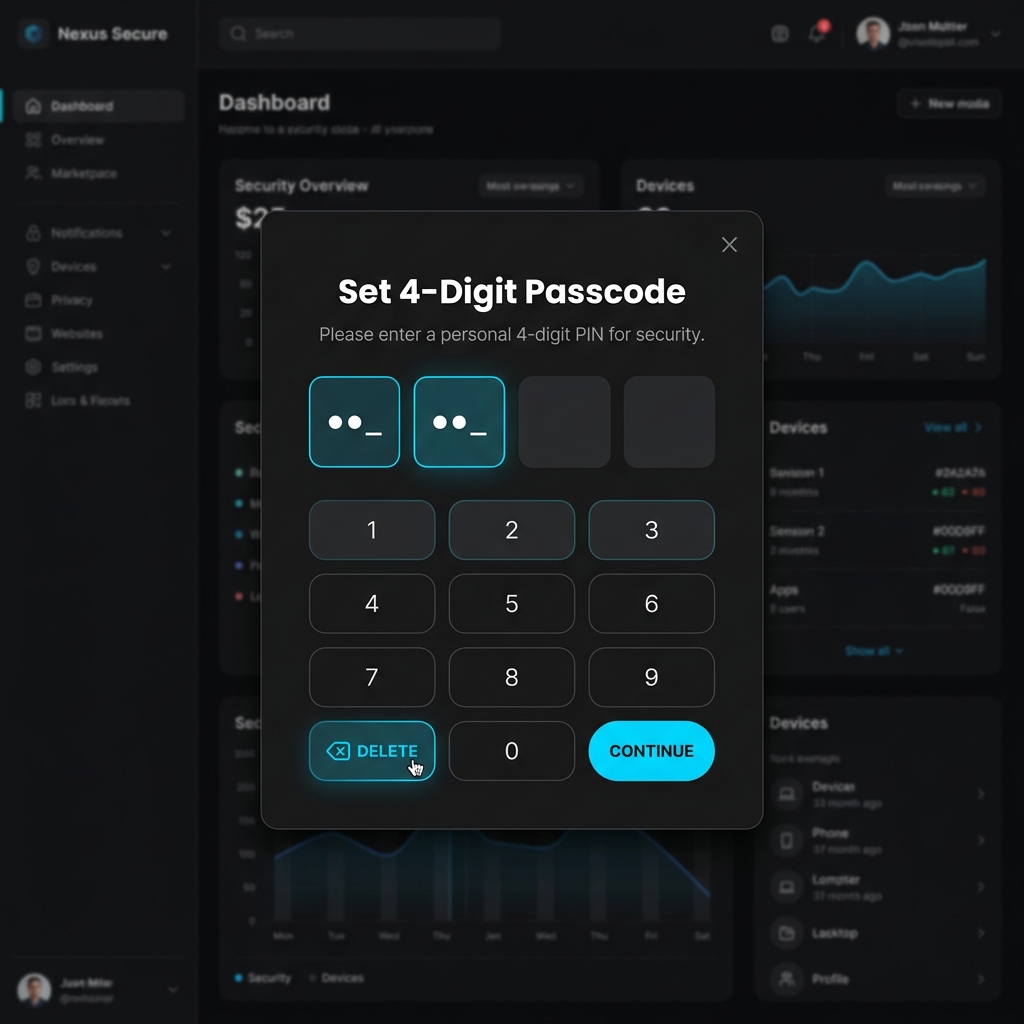
Set Your Passcode:
- A window will appear asking you to set a passcode.
- Enter a 4-digit PIN that you can easily remember, then confirm.
Accessing the Vault:
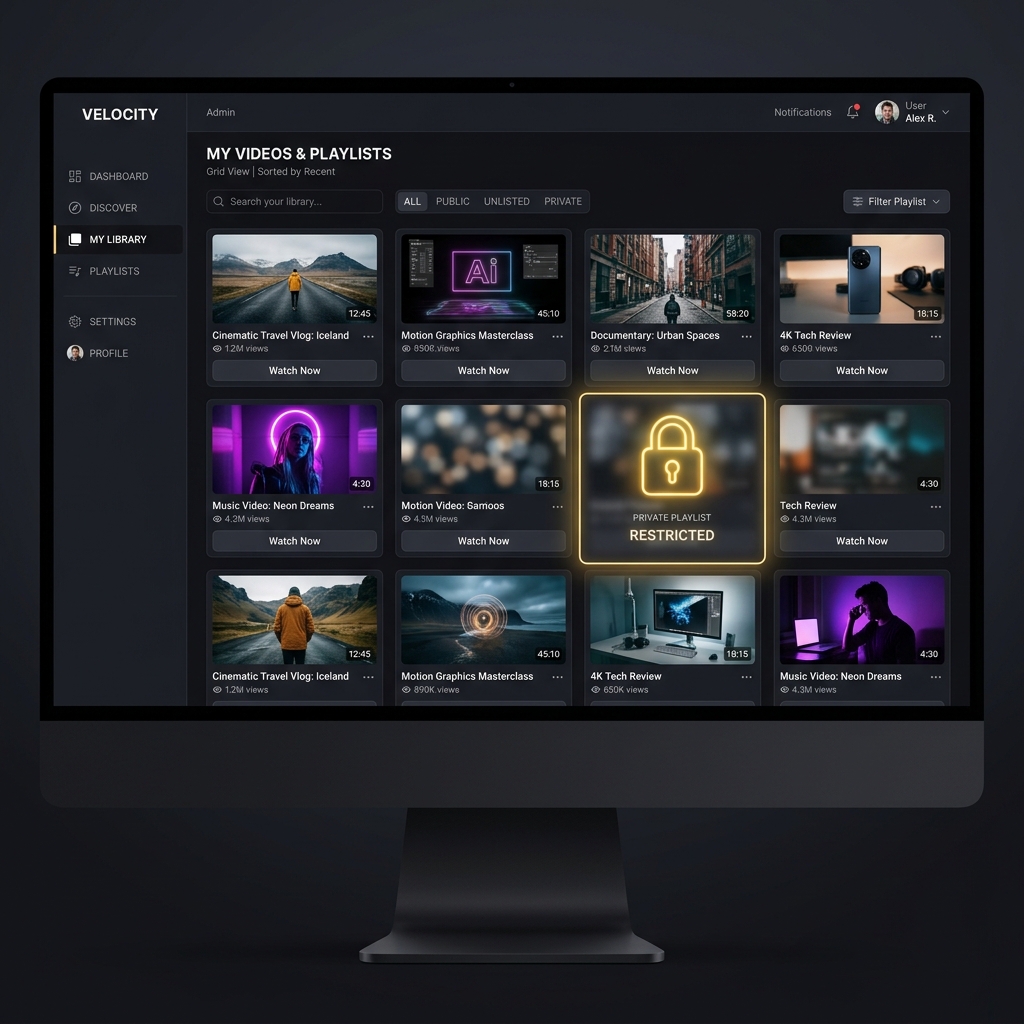
- Once locked, clicking on the playlist will display a padlock icon with the contents blurred out.
- You must enter the correct 4-digit passcode to reveal the videos inside.
3. Keep Your Space Private
Create a playlist named "My Private Vault" today and lock it. You can now confidently let friends browse your UFlix app without worrying they'll stumble upon your private clips!