
Are you tired of spending countless hours writing code or editing videos, only to send a boring, dry PDF resume to HR when applying for jobs?
Let's face the harsh reality: your beautifully crafted PDF is just one among thousands. HR managers simply cannot "see" or "feel" your actual technical skills through plain text.
If you are a Developer, UI/UX Designer, or Video Creator, sending only a paper resume is career suicide. You are throwing away your strongest weapon: tangible, interactive proof of your abilities.
 From a hobby home-streaming project to a professional portfolio that demands attention.
Turn Your "Personal Movie Cloud" into a "Skills Showcase"
Instead of sending a plain Google Drive link (which they probably won't even click), what if you sent them a link to "Your very own Video Streaming Platform"?
This is exactly what UFlix empowers you to do! UFlix isn't just for watching movies at home. Under the hood, it's an Enterprise-grade Web Application built with React, Tailwind, and a Serverless architecture, featuring a sleek, Netflix-style UI.
If you present a UFlix website loaded with your projects during an interview... trust me, they will be blown away.
Step-by-Step: Transform UFlix into Your Portfolio in 10 Minutes
Let's turn your movie cloud into an interactive resume that pops off the screen.
1. Brand Your Public Page
UFlix has a "Public Profile" feature that allows external visitors to view the videos you mark as public. The first thing you need to do is head over to Settings and customize it:
- Change the default logo to your personal branding or name.
- Adjust the Theme Color (e.g., switch from movie-red to a professional deep blue).
- Add your social media or LinkedIn links to the footer.
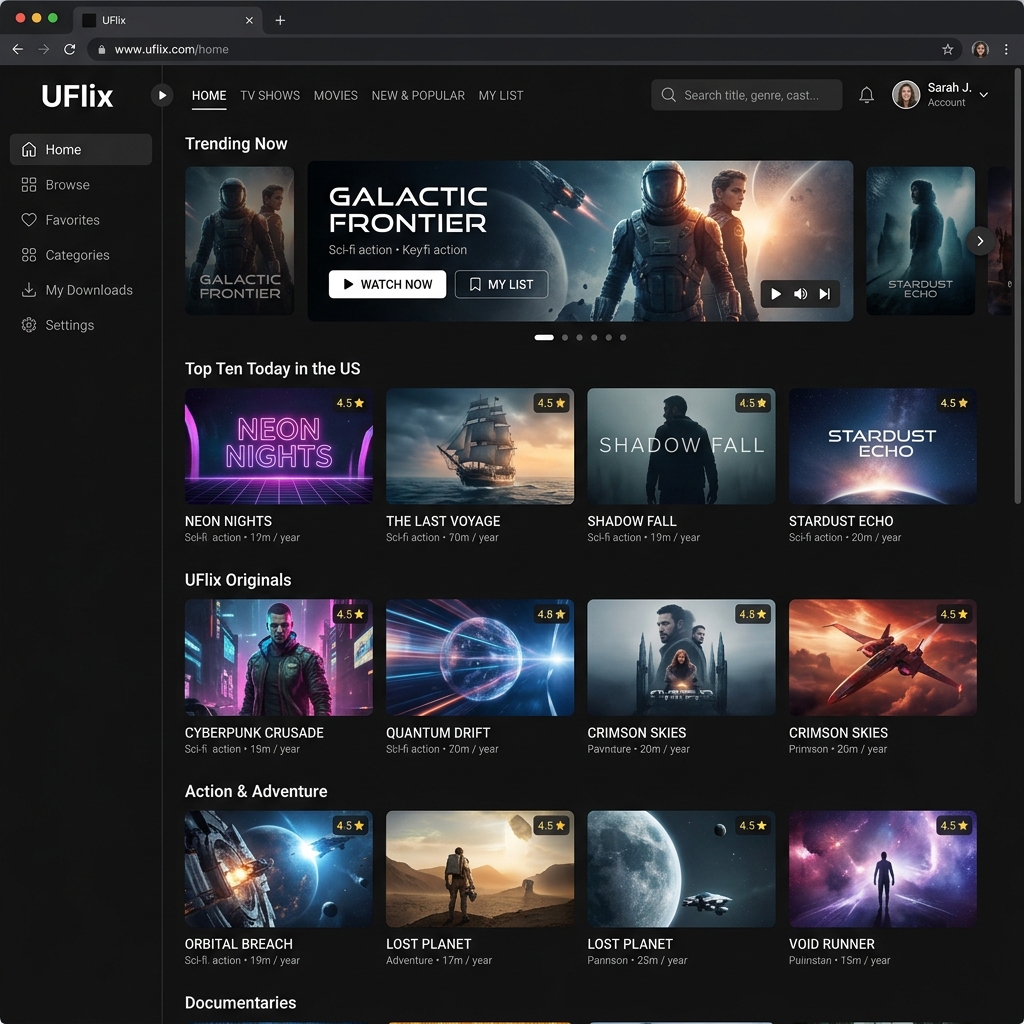 A customized Public Profile with professional branding and layout.
2. Upload Projects Instead of Movies
Instead of uploading Hollywood blockbusters, upload your work:
- For Video Editors: Upload your commercials, short films, or VLOGs.
- For Programmers: Upload screen recordings demonstrating apps you've built, complete with voiceovers explaining your technical decisions.
3. Use "Tags" as Your Skill Set
Remember how we tag movies by genre? Instead of tagging videos as Action or Comedy, tag them with your Skills!
- Tag a video with
React,TypeScript,Next.js. - Tag another with
Premiere Pro,After Effects,Color Grading.
When HR visits your site, they can click on a tag to instantly filter your work based on the skills they are hiring for. It’s incredibly professional.
4. Demonstrate "Data Management" Systematically
The mere fact that you can deploy a streaming app that fetches data from Google Drive or YouTube and renders it on a beautiful frontend is a Proof of Concept. It proves you understand Data Fetching, APIs, and Frontend Architecture.
 Showing real, interactive work on a screen wins over interviewers much faster than talking.
Show, Don't Tell
In an era where anyone can use AI to write a perfect resume, "showing real work" is the only way to stand out from the crowd.
Pro Tip: Generate a QR code for your UFlix Public Profile link and paste it on your printed resume (or embed the link in your PDF) with a call-to-action: "Scan to view my interactive streaming portfolio." No hiring manager can resist clicking that!
If you haven't set up UFlix yet, check out our guide on Understanding Modern Serverless Movie Clouds and start building your ultimate portfolio today!